
The AI-based CMMS for teams who’d rather fix things than fight spreadsheets
Work orders, preventive maintenance schedules, compliance inspections and reports, plus a built-in AI assistant that knows your equipment. Start free, then pay per facility when you’re ready.
Everything a maintenance team actually needs
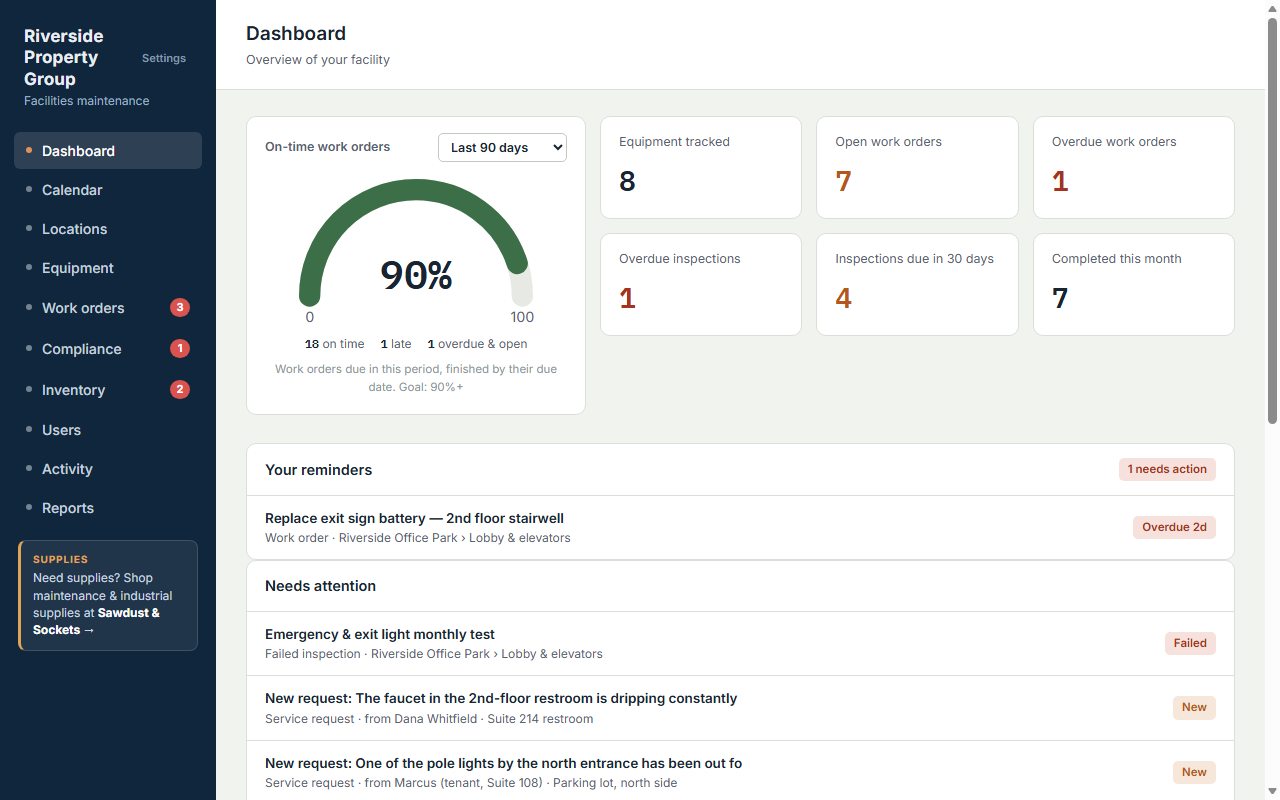
No months-long setup and no training course. Add your equipment, set your schedules, and your team knows what to do today.
Stop missing routine maintenance
Schedules create the work orders for you, on time, every time. Nothing depends on someone remembering.
Be ready for the inspector
Track fire, electrical, elevator and safety inspections, score every checklist item, and print a compliance report in one click.
Know where every dollar goes
Parts, labor at your shop rate and outside contractor costs roll up into reports by work order, and an on-time meter shows how the team is really doing.
AI that reads your equipment manuals
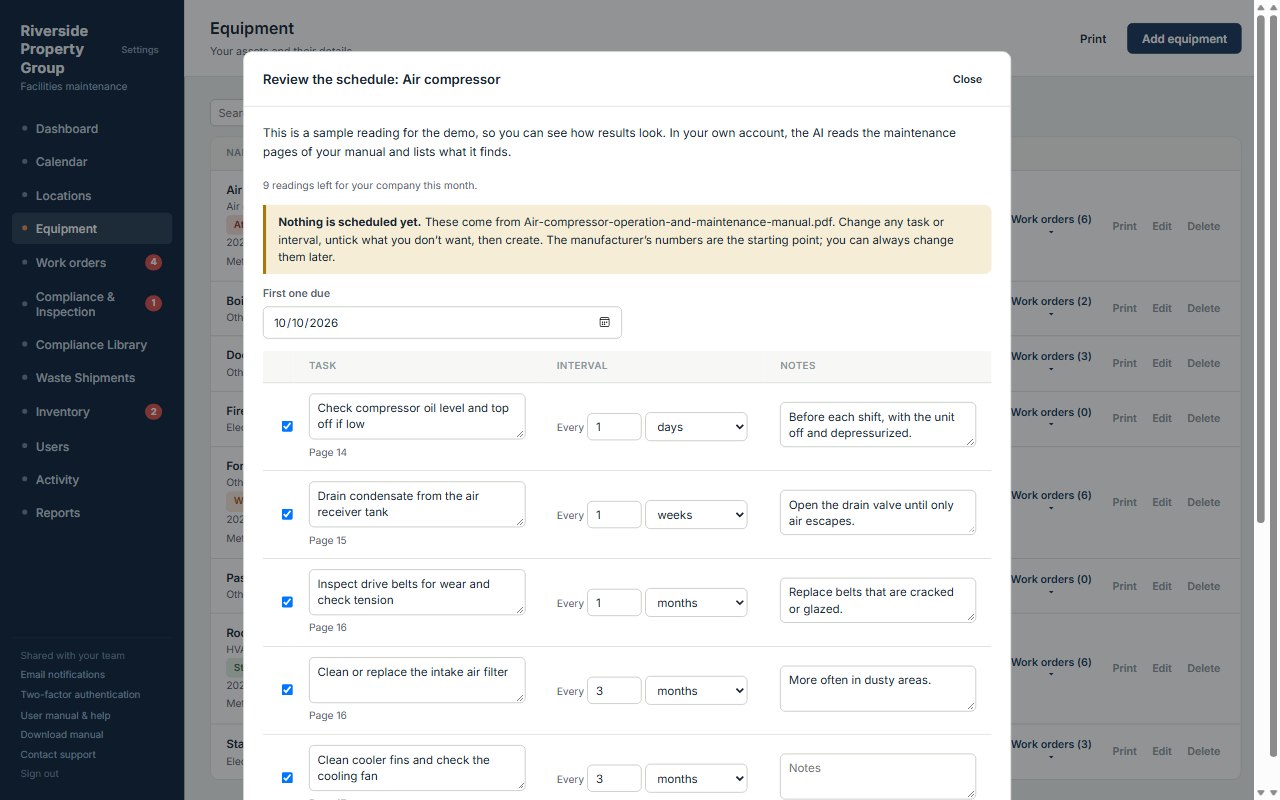
Upload the manual as a PDF or a few photos of the maintenance pages. AI pulls out the manufacturer’s recommended service tasks and intervals, noting the page each one came from. You review the list, adjust anything you want, and it becomes your PM schedule. No more typing schedules in by hand. No sensors, no add-on fee.
On paid plans, every company gets 10 manual readings a month. A reading that finds no schedule doesn’t count.
AI-assisted insights from your repair history. As your team logs repair work orders, the app estimates when each machine is likely to need service next. It rates each one Stable, Watch, or At risk with a confidence level, and flags equipment that breaks down often. These are estimates from your own work orders. They get sharper as you log more, and they aren’t guarantees.
A built-in AI assistant that knows your equipment
Ask a question in plain English and get an answer from your own records. “What’s overdue this week?” “When was the fire pump last serviced?” When something breaks, it checks that machine’s past work orders and your techs’ notes first, then the manual you attached, then the manufacturer’s information on the web, and tells you which one each answer came from.
It also answers “how do I…” questions about the app, so new people get up to speed without a training session.
Included in every paid plan. Read-only: it looks things up and never changes your records. Each company’s data stays private.
Recurring work orders that run themselves
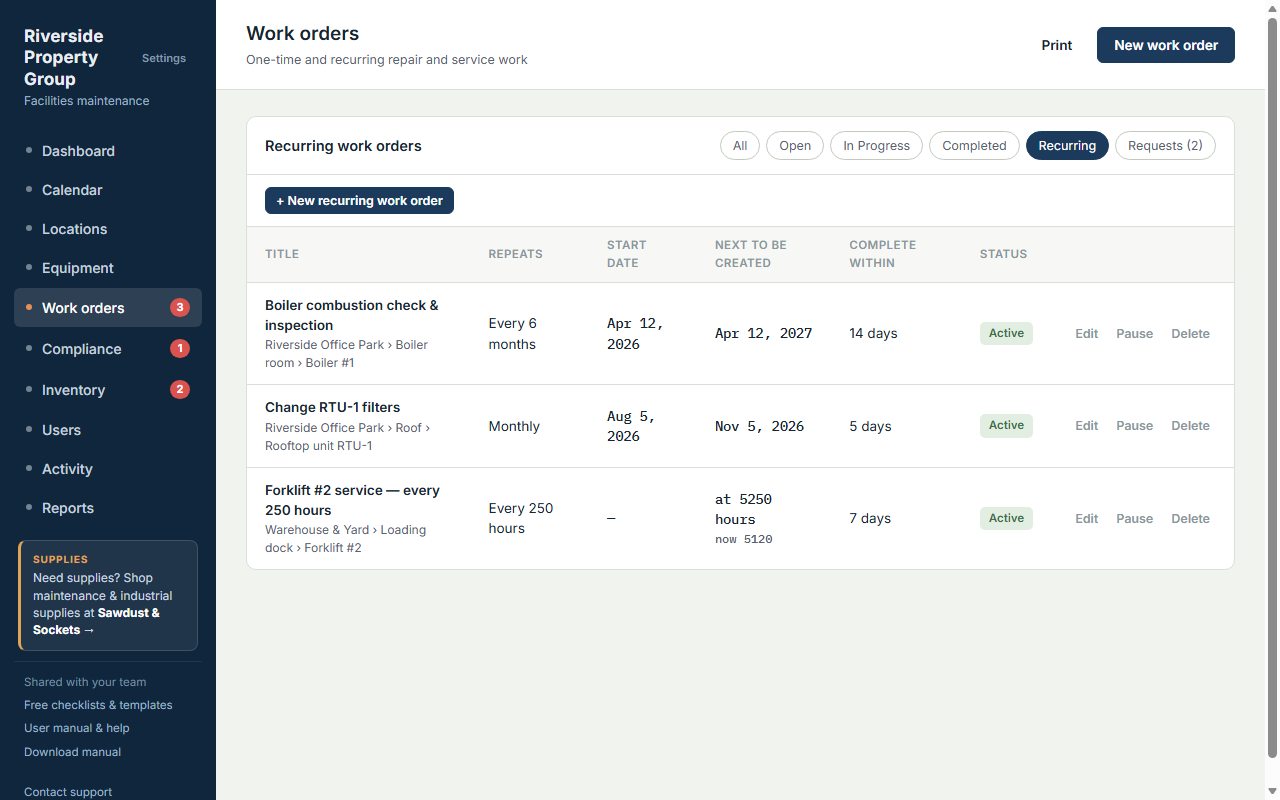
Choose weekly, monthly, every six months or yearly — or repeat by meter reading, like every 250 forklift hours. The next work order appears automatically.
- Set it once and forget it
- Put a whole crew on one job, and copy anyone who needs updates
- See what’s coming on the calendar
Compliance and inspections, without the binder
Fire extinguishers, emergency lights, elevators, eyewash stations — schedule each one and answer every checklist item: Excellent to Critical, Pass or Fail, or a number reading. Each inspection gets a score. You decide what a bad answer does: open a work order, have the inspector describe the problem on the spot, or email the right person. When the fix is done, a follow-up inspection is scheduled automatically.
- Build your own checklists, or start from 27 ready-made ones
- The same problem found twice never opens a second work order
- Signature-ready printable inspection sheets and a one-click audit report
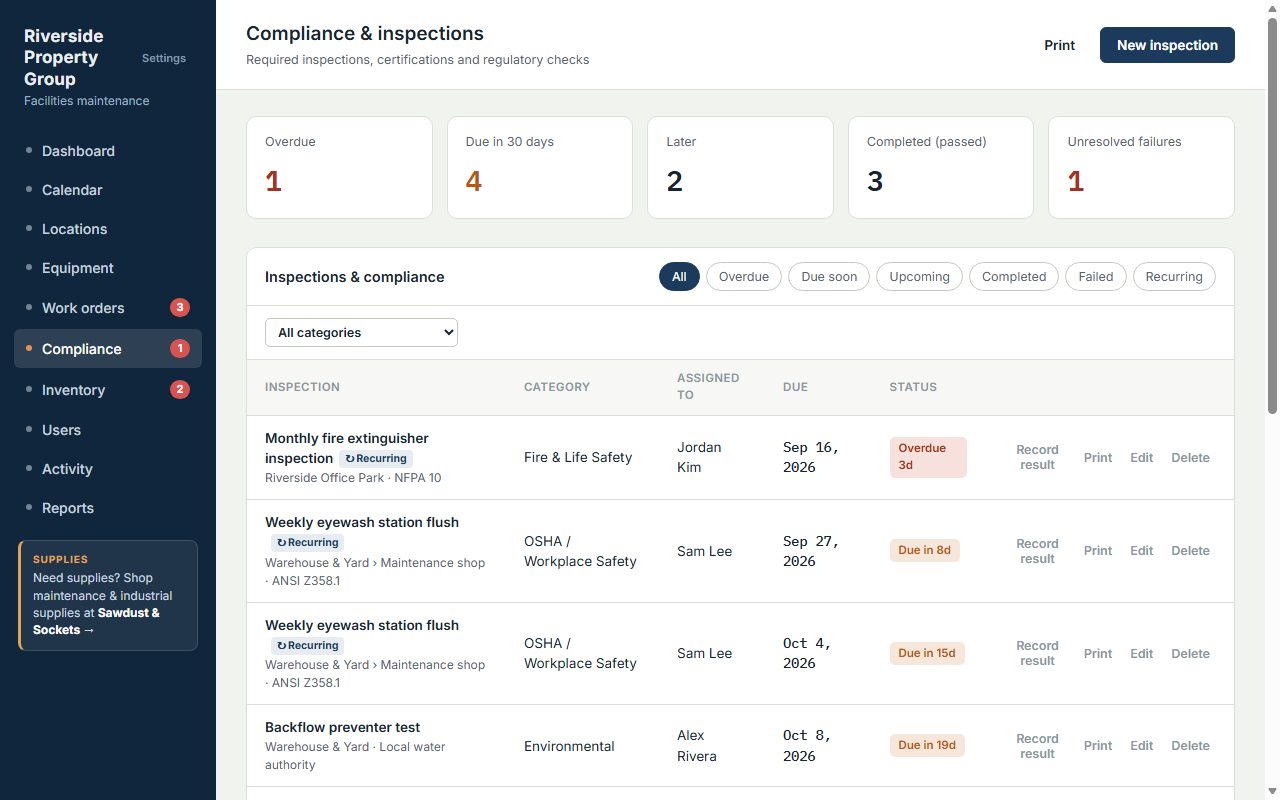
Regulations that turn themselves into work orders
Need a check the law requires? Download the OSHA regulation by its number, right in the app. AI Assist reads it and drafts the recurring work orders it calls for — each one carrying its citation — and nothing is scheduled until you review and confirm it. Start from the built-in compliance pack, then add the regulations your facility answers to.
Every asset, with its full history and a QR code
Tap any piece of equipment to see its work orders, print a QR label for the machine, and open it from a phone in the field. Already have your equipment in a spreadsheet? On a paid plan, import the whole list from Excel in one go.
- Manufacturer, model, serial number, meter readings and warranties
- Manuals and work instructions open right from the job
- Facilities, rooms and equipment in one tree
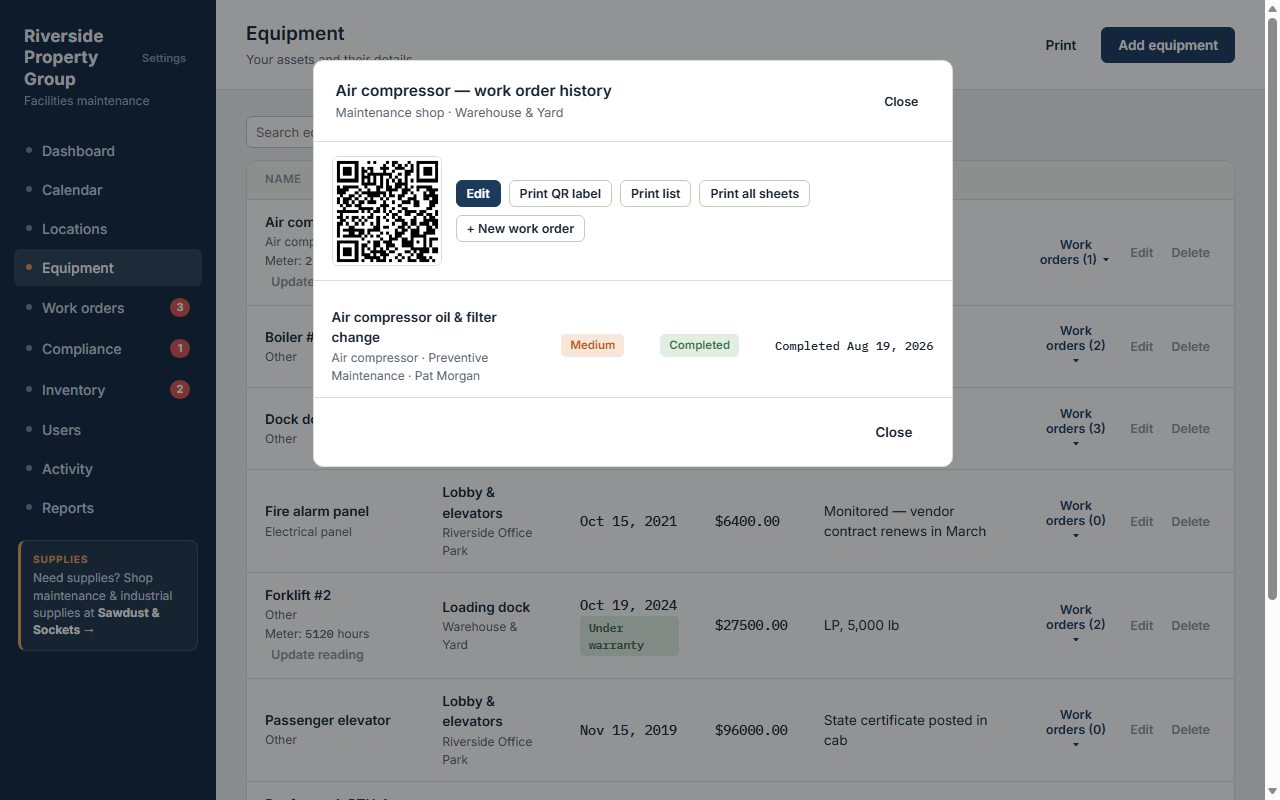
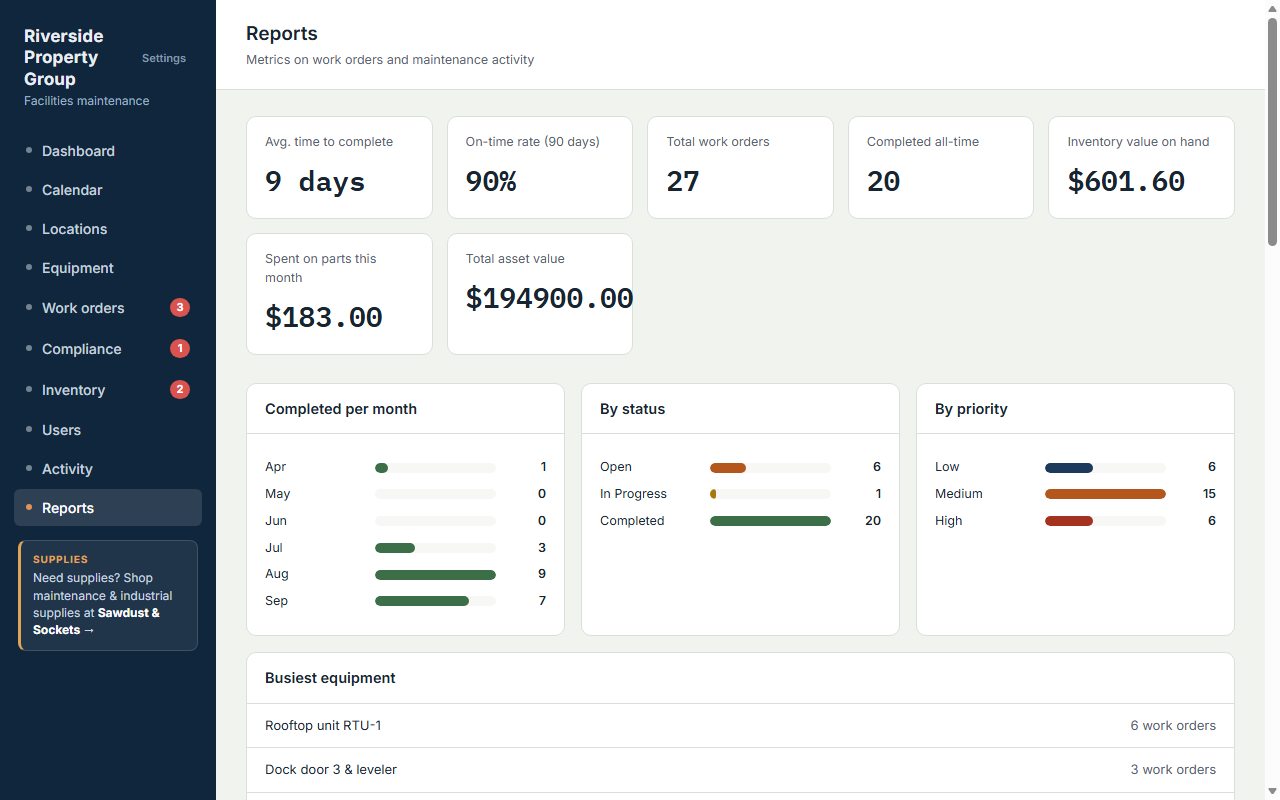
Reports your boss (and your auditor) will actually read
Completion rates, maintenance costs, inventory use, compliance status and equipment condition scores, with charts — filtered by facility, person or date range, printable and exportable on paid plans.
- Condition score for every asset, worst first, with the trend over time
- Cost charts for parts, labor and contractors by month
- Compliance report by facility, and CSV export for spreadsheets
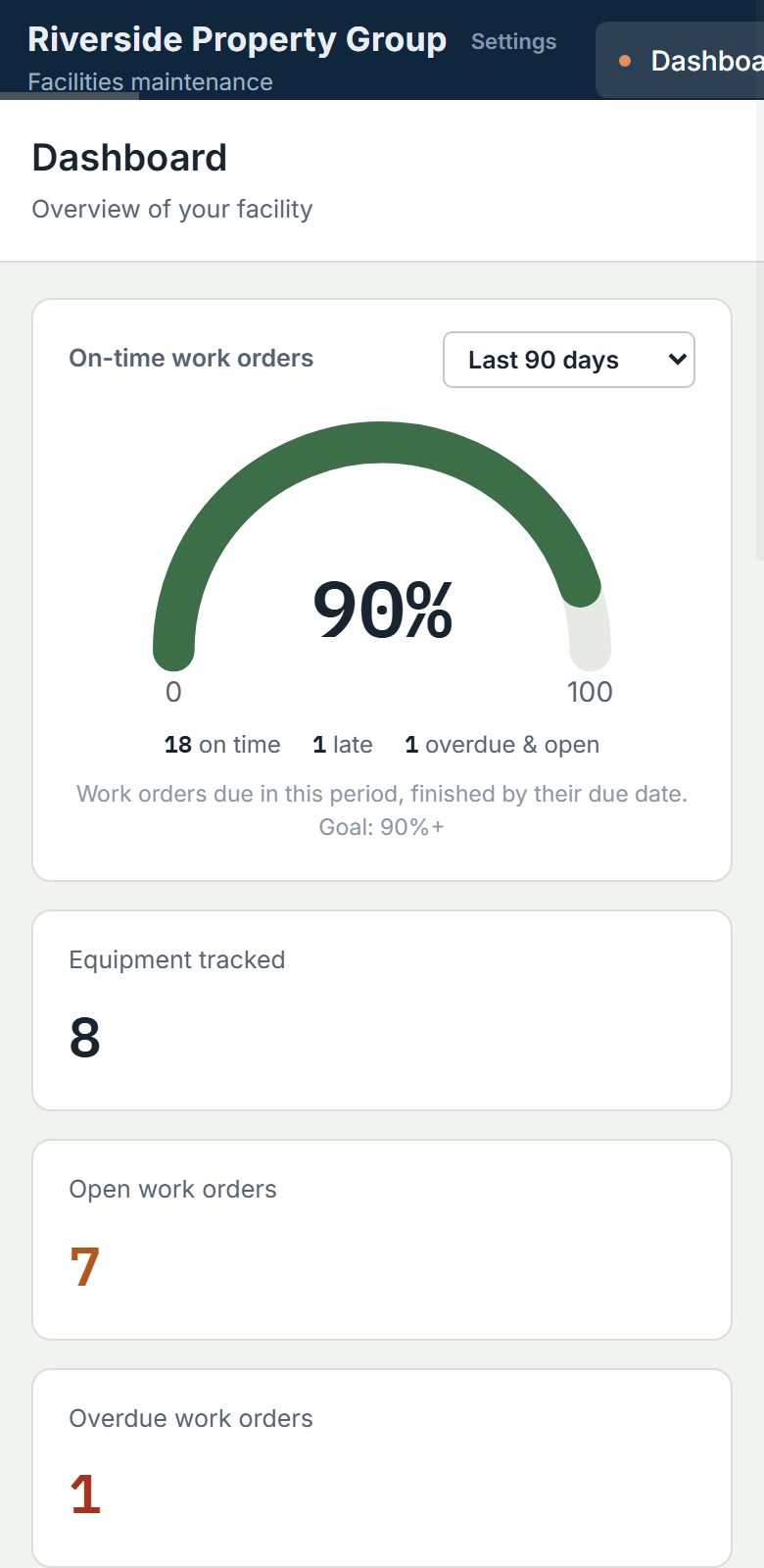
Works on the shop floor, in the boiler room, on your phone
Open it in any phone browser. Scan a QR code on a machine to jump straight to it. Lose signal in the basement? Keep working — changes sync when you’re back.
- Technicians see and log their own work
- Photos on work orders
- Add to your home screen like an app
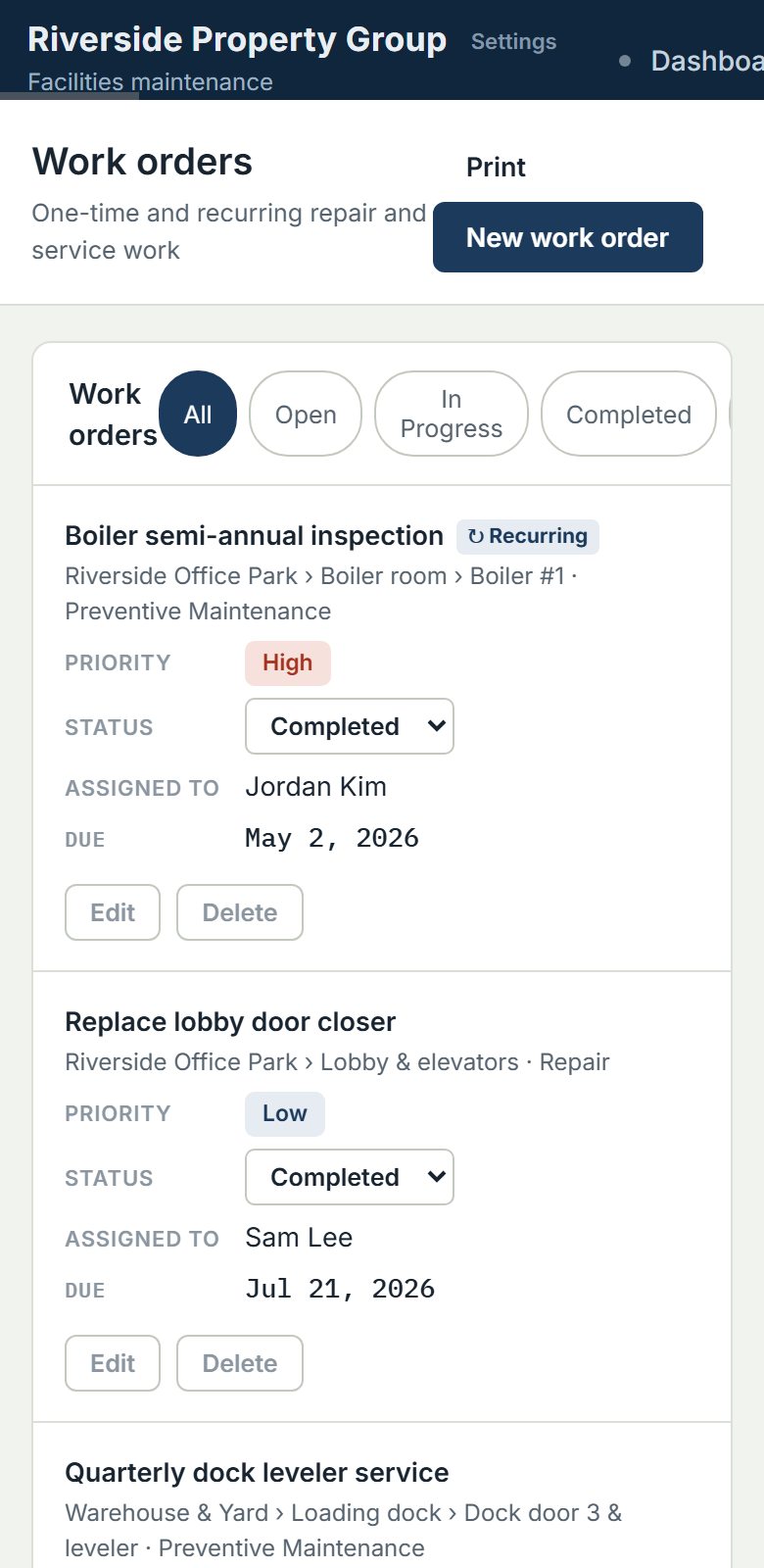
And the details that save time
Up and running in an afternoon
Start free. Pay per facility when you grow.
Your first facility and first user are included for $35 a month. Add facilities and people as you need them, all on one account. Pay yearly and get one month free.
- Work orders, recurring schedules, meter-based maintenance
- AI assistant, AI manual reading and maintenance forecasts
- Scored inspections that open work orders and follow-ups for you
- Labor, parts and contractor costs, with charts and condition reports
- Equipment import from Excel
- Rooms, equipment, QR codes and printing for every facility
- Inventory, service requests and activity log
- Email notifications and email support
- Works on phones, even offline
What it costs at one facility
| Team size | Per-user tool* | My Facility CMMS |
|---|---|---|
| 5 people | $225 / mo | $75 / mo |
| 10 people | $450 / mo | $125 / mo |
| 25 people | $1,125 / mo | $275 / mo |
More examples
| Setup | Monthly | Yearly |
|---|---|---|
| 1 facility, 1 user | $35 | $385 |
| 1 facility, 3 users | $55 | $605 |
| 2 facilities, 3 users | $80 | $880 |
| 2 facilities, 5 users | $100 | $1,100 |
| 3 facilities, 5 users | $125 | $1,375 |
The free plan: $0, 1 user, no facility
- Up to 20 pieces of equipment (archived ones count) and 40 new work orders a month, added one at a time. Recurring work orders still run.
- Not included on free: file uploads, downloads and exports, the app’s print views and QR labels, AI features, Excel import, email notifications and customer support (the user manual is always there).
- Free work orders are kept on a rolling 90-day history. Every work order, open or completed, is deleted after 90 days on the free plan.
- If nobody signs in to a free account for 90 days, it is put on hold. If it stays inactive 3 more months, the account is deleted. We email a warning first, at least 14 days before.
- When you upgrade, everything still on the account comes with you into your first facility. Work orders that already expired can’t be brought back.
Refer 3 companies, get a month free
Know a business owner, contractor, property manager or facility team? Share your link from Settings → Plan & billing.
3 signups = 1 free month
When three new companies sign up with your link, you earn one free month. Free and paid signups both count.
Free or paid, it works
On the free plan you get a month with every paid feature unlocked. On a paid plan, one month of your current plan is credited to your bill.
One per account
One free month per account. Each new company counts once, and you can’t refer yourself.
Questions
Do I need a credit card to start?
No. Start on the free plan: one user, no facility, no card. Upgrade whenever you’re ready.
What does the paid plan cost?
$35 per month for your first facility, with the first user included. Each additional facility on the same account is $25 per month, and each additional user is $10 per month. Pay yearly and you pay 11 times the monthly price, so one month is free ($385 a year for one facility and one user).
What is on the free plan?
One user and no facility. Up to 20 pieces of equipment and 40 new work orders a month, added one at a time, and recurring work orders still run. File uploads, downloads and exports, the app’s print views and QR labels, AI features, Excel import, email notifications and customer support are paid features.
What happens to my data on the free plan?
Free work orders are kept on a rolling 90-day history: each one, open or completed, is deleted after 90 days on the free plan. If nobody signs in for 90 days the account is put on hold, and if it stays inactive 3 more months it is deleted, with a warning email first. When you upgrade, everything still on the account comes with you.
Does it include AI?
Yes, on every paid plan at no extra cost. A built-in AI assistant answers questions from your own work orders, equipment history, inspections and attached manuals, helps diagnose breakdowns from past repairs, explains how to use the app, and can look up manufacturer information on the web with sources. AI also reads equipment manuals and turns the recommended maintenance into PM schedules you review first. The assistant is read-only and each company’s data stays private.
Who is it for?
Teams that maintain buildings and equipment: property managers, manufacturers and warehouses, churches and schools, shops and garages. If you’re running maintenance on spreadsheets, paper or memory, it’s built for you.
Does it work on phones?
Yes. It runs in any phone browser, and you can add it to your home screen. It also keeps working when the signal drops: changes are saved on the device and sync when you’re back online. Scanning a QR code on a machine opens that machine’s record.
Can I bring in my equipment list from a spreadsheet?
Yes, on a paid plan. Download the import template from the Equipment page, paste your list in (name, type, room, manufacturer, model, serial number, dates, meter readings, notes) and upload it. Your own spreadsheet works too if its column names are close. You see every row before anything is saved: blank fields are flagged but still come in, new rooms are created for you, and equipment already in your list is skipped, never overwritten.
Can I run more than one site?
Yes. Add facilities to the same account for $25 per month each; every facility has its own rooms, equipment, QR codes, schedules, inspections and request link. If you’d rather keep a site completely separate, you can start a separate account for it instead.
Can it handle recurring maintenance and inspections?
Yes. Any work order or compliance inspection can repeat weekly, monthly, every six months or yearly from a start date you choose — or by meter reading (every 500 machine hours, for example). The next one is created automatically.
Is my data safe and is it separate from other companies?
Every company’s data is isolated in its own workspace and protected by database access rules, and the connection is encrypted. Only your people can see it. You can ask us to delete your data at any time.
How does this compare with tools that charge per user?
Per-user tools get expensive quickly as a team grows: a 10-person team at $45 per user is $450 a month. At one facility, the same team on My Facility CMMS is $125 a month: $35 including the first person, plus $10 for each of the other nine. Larger tools also offer things we don’t yet — native mobile apps and deep integrations, for example — so start free and see whether the features you need are there.
Can I cancel any time?
Yes. Cancel from Settings → Manage billing whenever you like, and you won’t be charged again. Your company moves to the free plan and nothing is deleted when you cancel; after that the free-plan rules apply. You can also ask us by email for a copy of your data.
Can it build work orders from OSHA rules?
Yes, on paid plans. Download a regulation by number and AI Assist drafts the recurring work orders from it, with the rule cited on each one. You review and confirm before anything is scheduled.
Try it with your own equipment
Start on the free plan with no credit card. Add your equipment and have your first recurring work orders running today. Upgrade when you need your facility, your team and every feature.